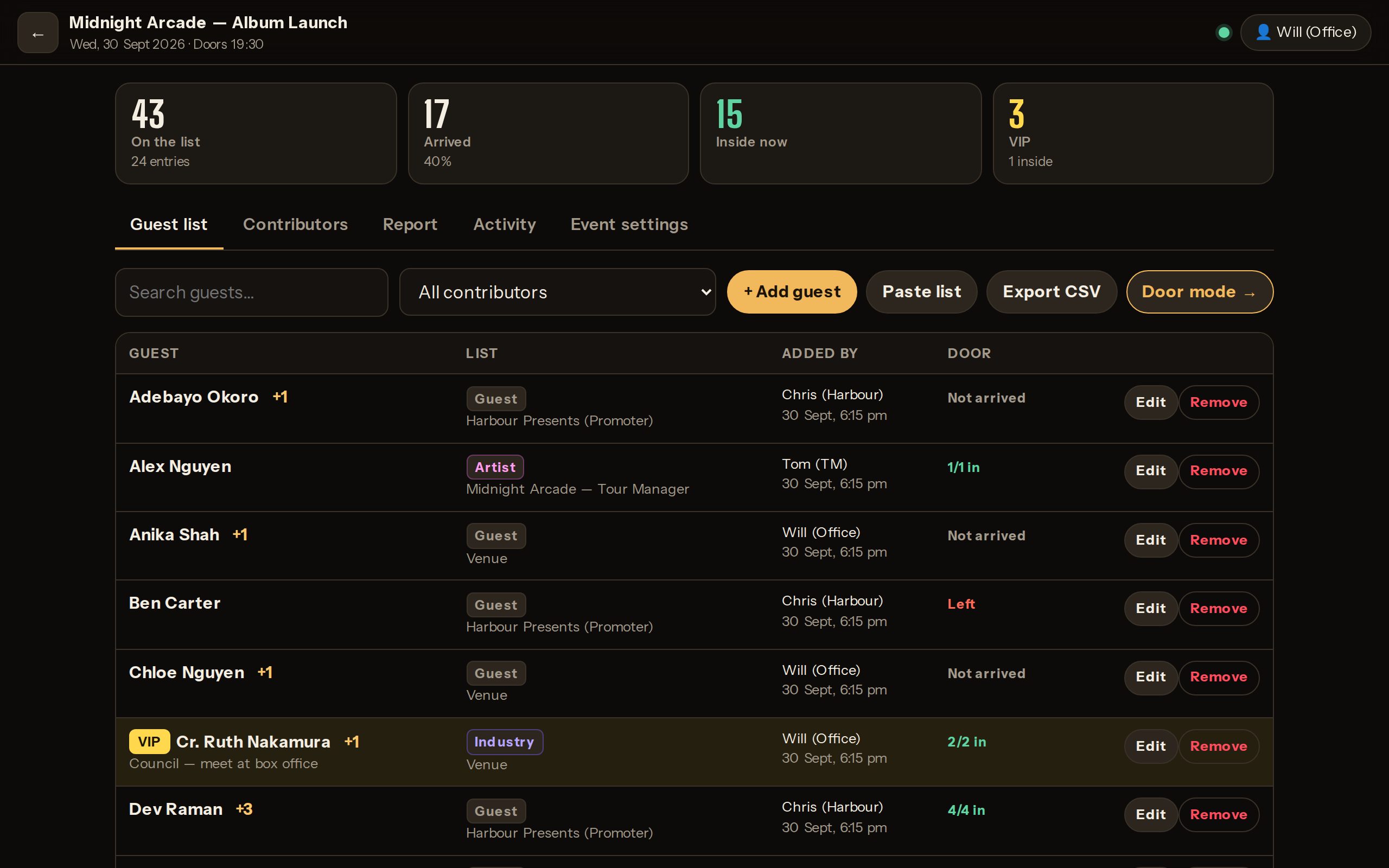
Artists, tour managers and promoters add their own guests with a link. Your door checks people in and out on any phone. Everyone works off one live list — with a name on every change.
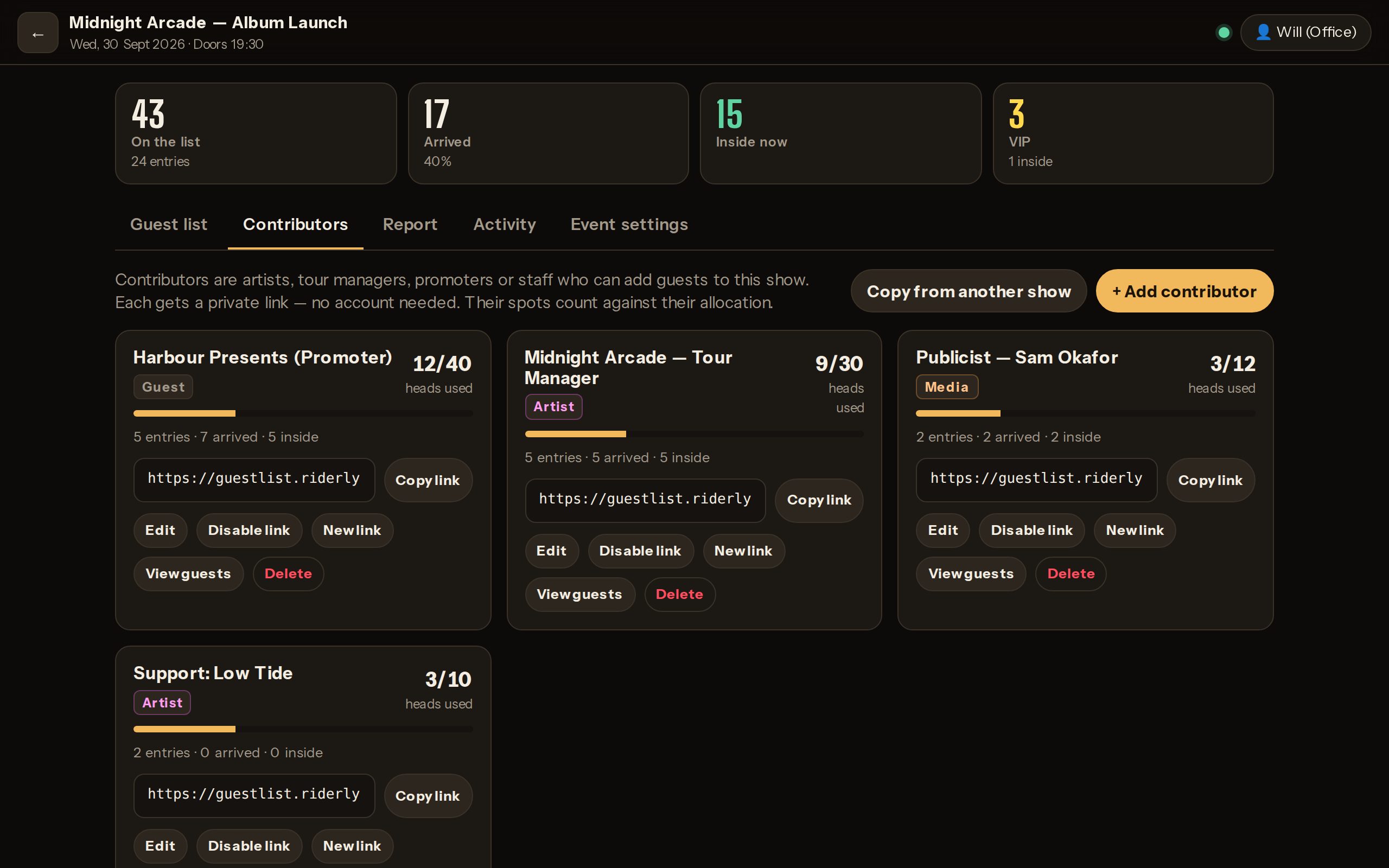
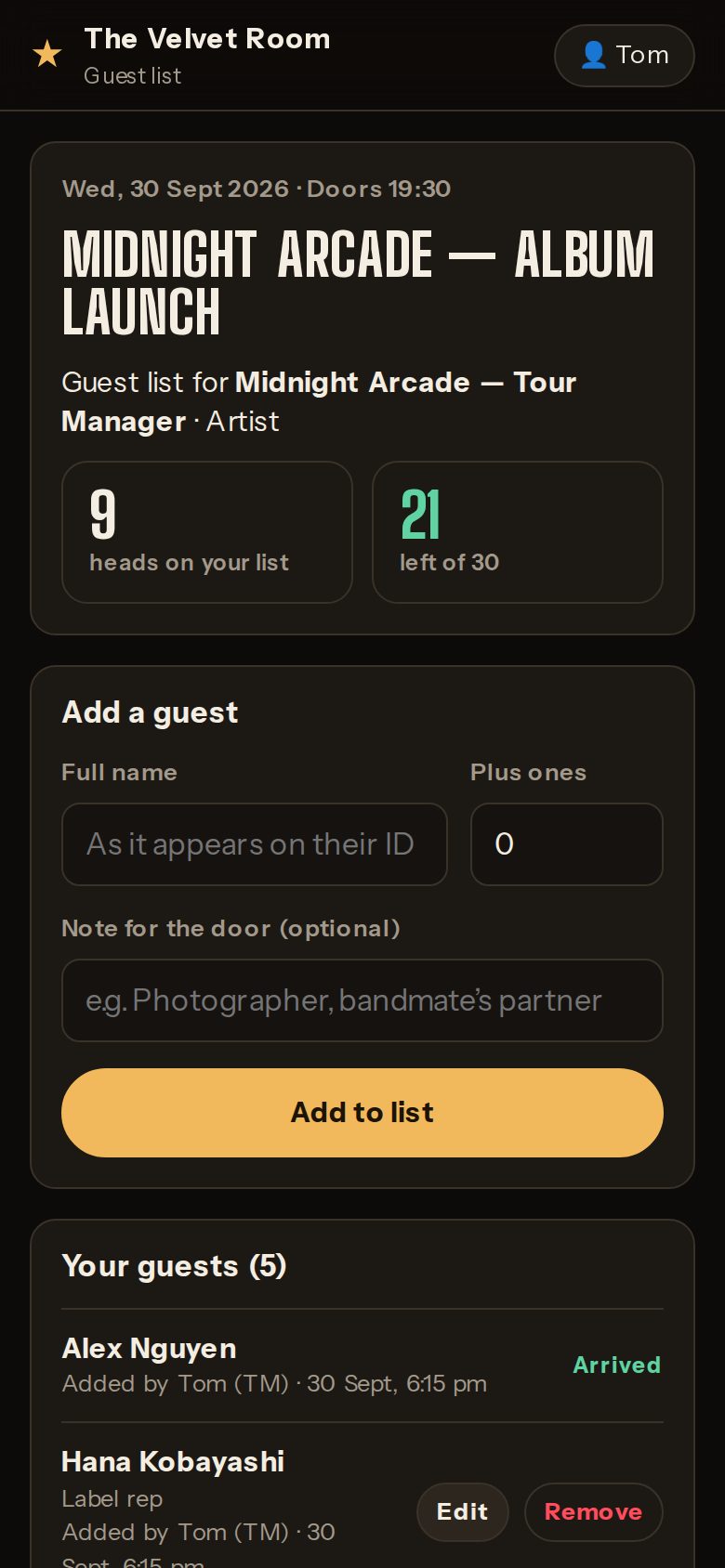
Give the headliner’s tour manager, the support act and the promoter each a private link. They add their own guests, see exactly how many spots are left, and it locks itself at your cutoff.
Allocations counted in heads — “Jane +2” uses 3
No login or app for contributors — just the link
They only ever see their own list
Switch a link off, or replace it, in one tap
Contributors
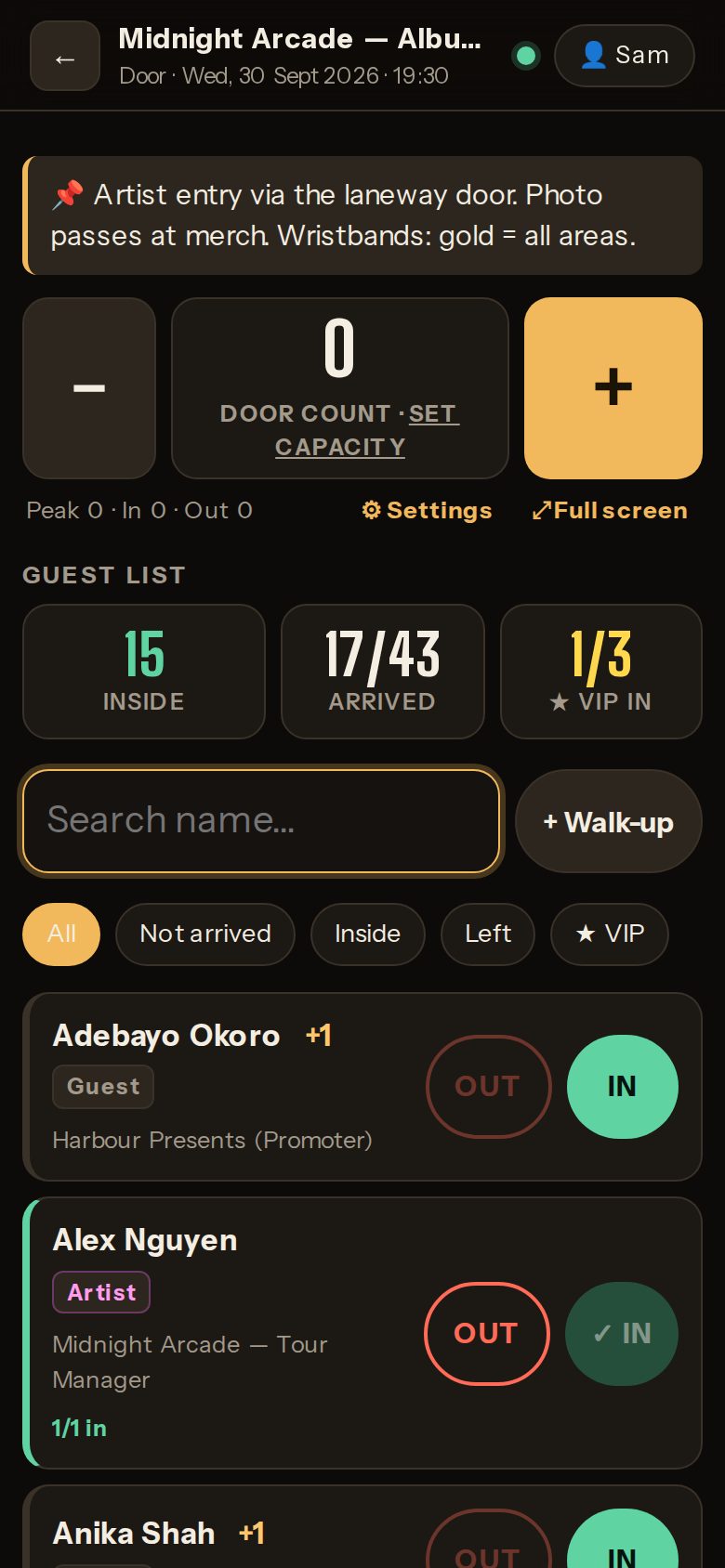
Door mode
A door that keeps up with the queue.
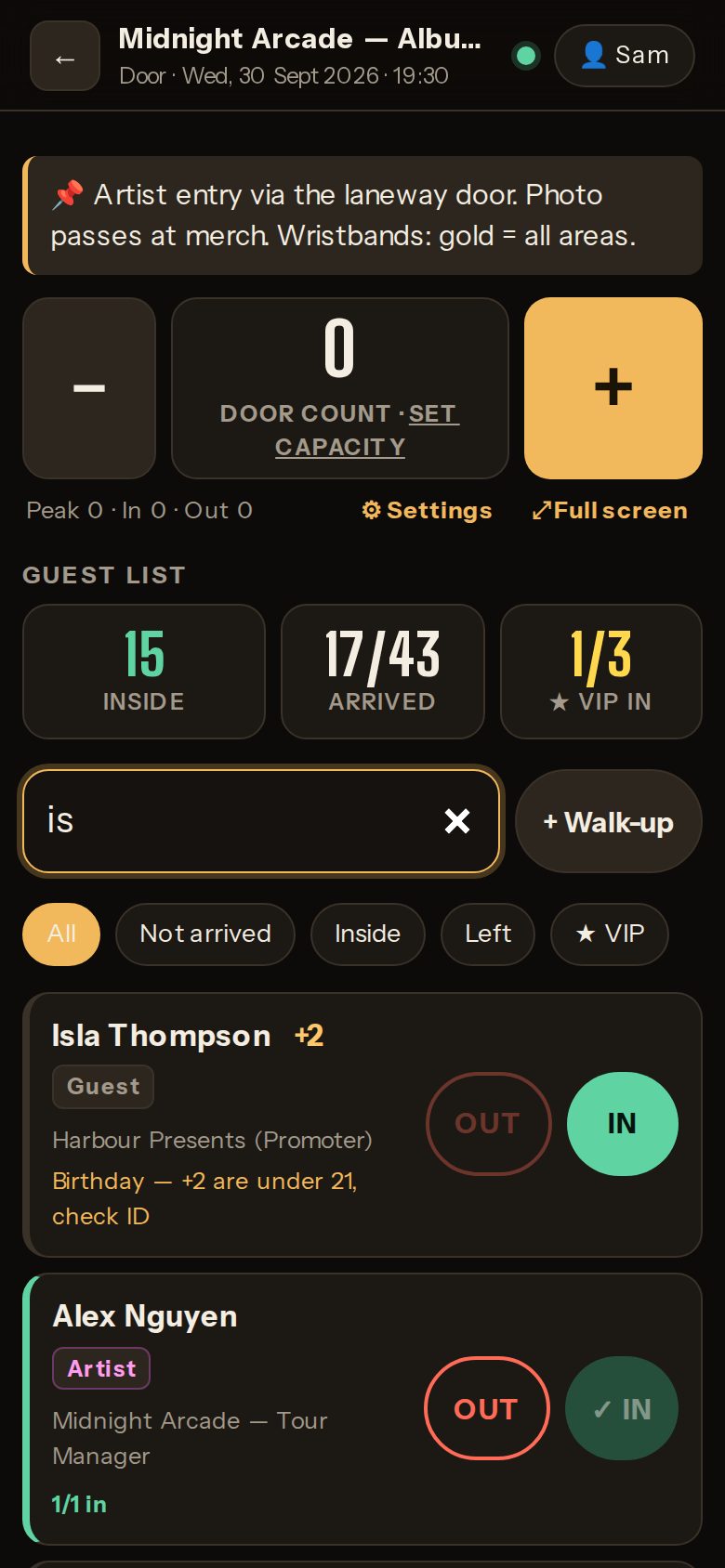
Big search, big buttons. Type two letters, tap IN. Parties arrive in bits, people step out and come back, and every phone on the door updates the moment anyone taps.
Partial plus-ones — “2 of 3 in”
Check out and back in, without double counting
Walk-ups added straight from the search
Door notes pinned for the whole shift
Gold highlight and an alert on every door for VIPs
Shared + / − capacity counter with a full-screen mode
Keeps working offline — taps sync when the Wi-Fi’s back
Accountability built in
Every tap has a name on it.
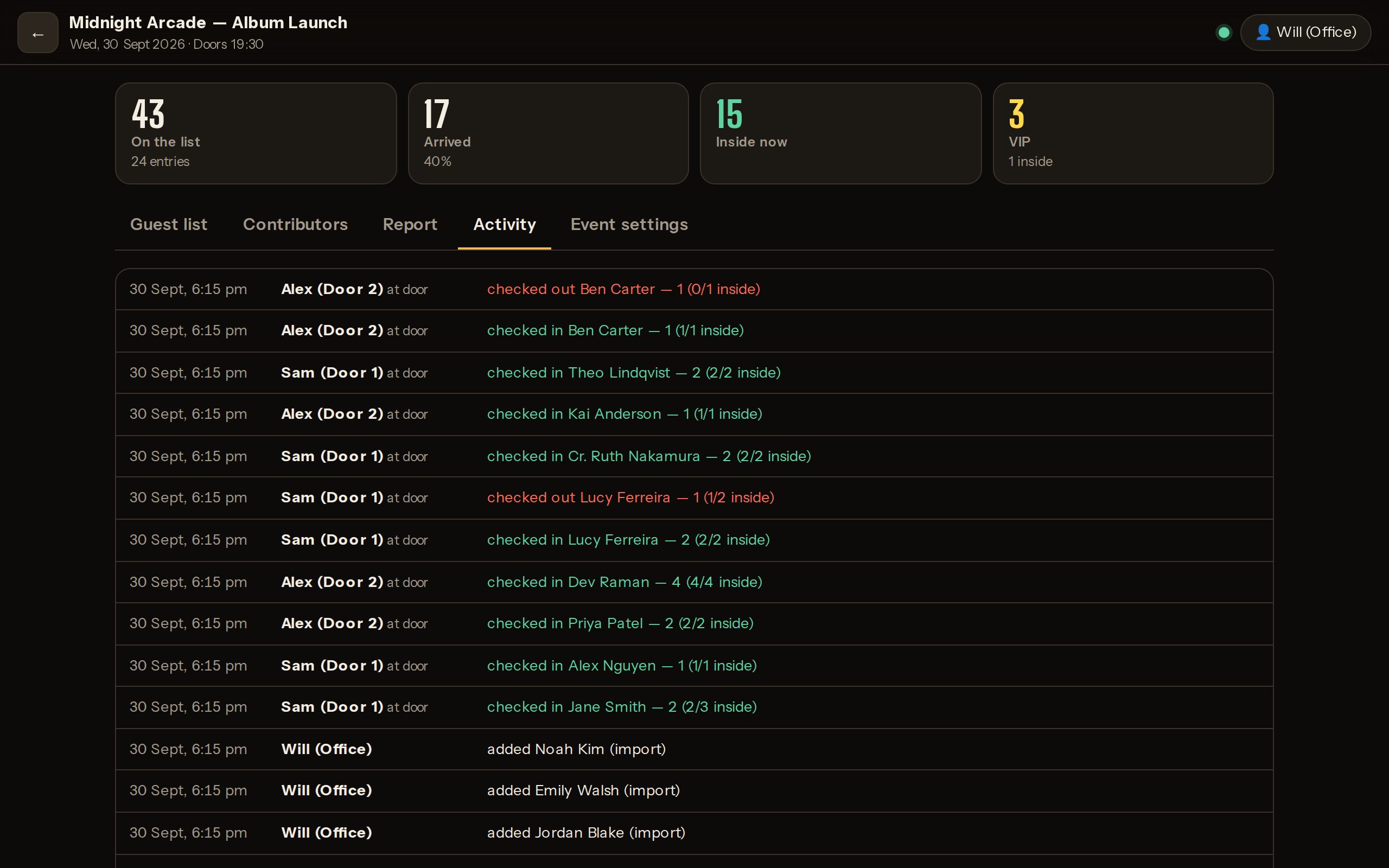
There are no staff accounts to manage. Each phone asks for a name once — so the activity log shows exactly who added whom, who let them in, and when. Export the whole night to CSV for settlement.
One venue login, shared by staff
Full history of adds, edits, check-ins and check-outs
Paste lists straight from Excel, Sheets or an email
Activity
How it works
From announce to doors in three steps
1
Create the show, send links
Add the event, then a contributor for each act or promoter — each with an allocation and a cutoff.
Headliner — TMArtist
12 / 20 heads usedCopy link
Promoter — JessGuest
3 / 10 heads usedCopy link
2
They add their own guests
No login, no app. Names and plus-ones go straight onto your list, with a name against every entry.
Jane Smith +2Tom (TM)
Alex NguyenTom (TM)
Priya Patel +1Tom (TM)
🔒 List closes Fri 5:00 pm
3
Your door checks them in
Search, tap IN, pick how many. Every phone on the door updates instantly.
Jane Smith +22/3 in
12All 3
Checked in by Sam (Door 1)7:42 pm
One login per venue
Staff share the venue’s username and password. Each phone asks for a name once — no accounts to create or delete.
Shared capacity counter
A digital clicker every door phone shares: tap + and −, set your capacity, and watch it go amber then red. Peak, in and out, all logged.
VIPs never wait
Flag a guest as VIP and they’re gold on every door screen — with an alert the moment they arrive.
Paste any list
“Jane Smith +2” from Excel, Sheets or an email just works. Export the night to CSV.
Manager codes & venue admin
Staff can’t create shows or go over capacity on their own. Each manager has their own override code, and your venue admin page manages codes, staff access and privacy.
Private by design
Your lists are private and secure, behind your venue’s login, with encrypted backups every night.
Now taking venues
Apply for your venue
Tell us a little about your venue. We’ll get back to you within one business day with pricing and a quick walkthrough, then send your setup link.
ApplyTwo minutes, no card needed.
We talk it throughPricing, how your door runs, anything you need.
You’re liveSet your logins and run your next show on it.
Pricing depends on your venue. Apply and we’ll send you pricing within one business day. No card needed to apply.
Do our staff need accounts?
No. Your venue has one username and password. Staff open your venue’s link, type the password, and put their name on the phone once.
Do artists and promoters need to sign up?
No. They get a private link for that show. They can add, edit and remove their own guests until your cutoff — and they only ever see their own list.
Does it replace our ticketing?
No — it runs alongside it. It’s for the guest list: comps, artist and crew, industry, media and walk-ups.
What do door staff need?
Any phone or tablet with a browser. Add it to the home screen and it opens like an app.
Can staff go over capacity or a guest list limit?
Not on their own. Each duty manager has their own override code, managed by the venue admin. Creating an event, going over a limit, or changing one asks for a code — and the log shows who asked and whose code approved it.
What if the Wi-Fi drops mid-show?
Door mode keeps working. Check-ins and counter taps are saved on the phone and sync automatically when the connection’s back — even if the page is reloaded in between. The one thing that needs signal is a manager override.
Can we bring in our existing list?
Yes. Paste straight from Excel, Google Sheets or an email — one name per line, with “+2” for plus-ones.
Your next show’s guest list, sorted.
Apply in two minutes. We’ll be in touch within one business day.